Make an order each time you sell birds or eggs. The app works out the total with tax, makes the invoice, takes the birds off the batch when they're delivered, and counts the money in your profit once it's paid.
The quick way
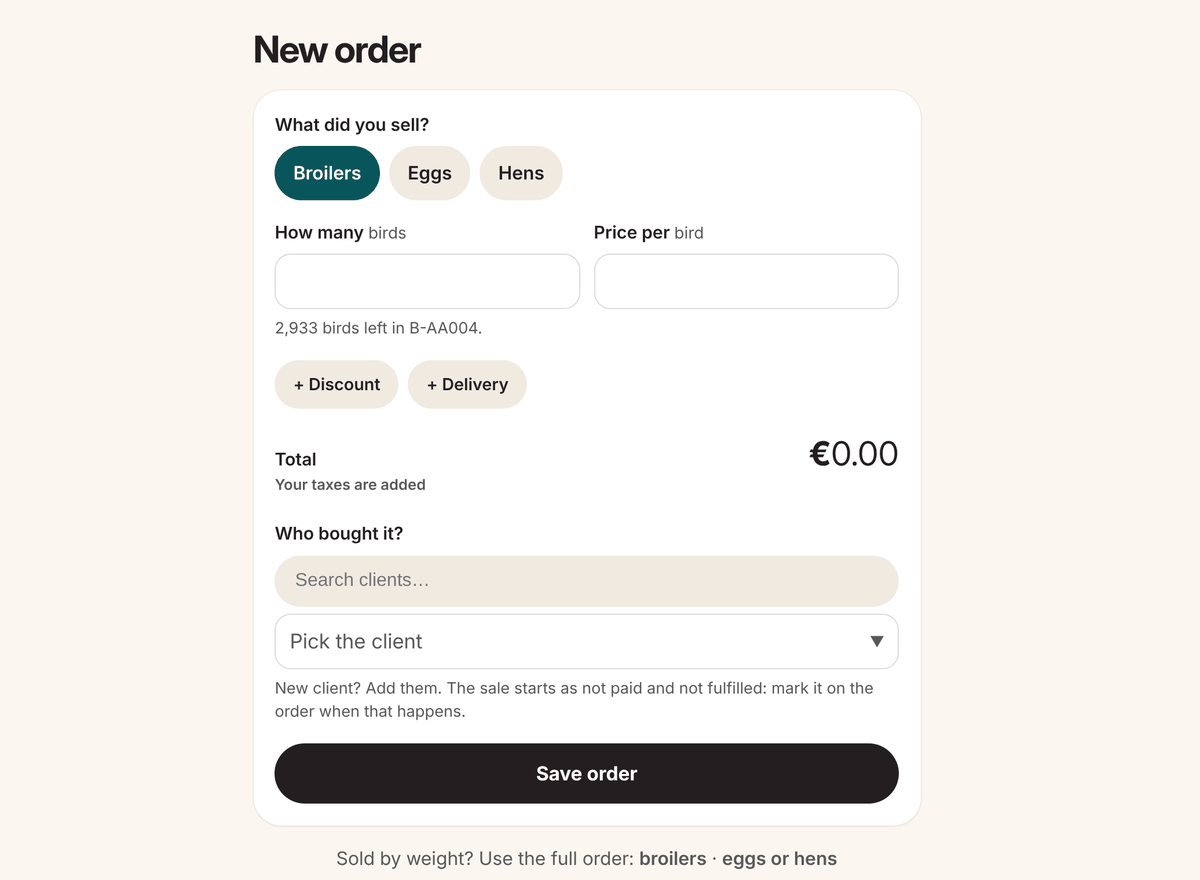
- Click the black + and choose Order.
- Pick what you sold: Broilers, Eggs or Hens.
- Pick the batch or flock it comes from (when you have more than one), then type How many and the Price per bird, egg or pack.
- Add a + Discount or a + Delivery if you need one.
- Under Who bought it? pick the client. New client? Click Add them.
- Click Save order. Your taxes are added for you.
The full order
Sold broilers by weight, or eggs of several sizes? Use the full order: on the quick page click broilers or eggs or hens under "Sold by weight?", or open Orders and click Create order.
- Broilers: pick Sold by birds (number and price per bird) or weight (the weight, how many birds, and the price per kg or lb).
- Eggs: type the eggs of each size and the price. Click Egg sizes and prices to set the prices new orders start with.
Good to know
- A new order starts as not paid and to fulfill (not delivered yet).
- You can't sell more birds than the batch has.
- Left an order half done? Next time you open a new order, it asks if you want to keep going. Everything you typed is still there.
- Each order gets the next number, starting from #000001.
- The free plan includes 30 orders each calendar year. The count starts again on 1 January.