Keep a list of the feed, medicine, vaccines and supplies on your farm. The app keeps the count up to date and warns you before you run out, early enough for a new delivery to arrive.
Add an item
- Open Nutrition (the Feed and stock tab) and click Add an item.
- Pick What is it?: Feed, Medicine, Vaccines, or Litter and trays.
- Type the Name, for example "Starter feed (25 kg bag)", and How much do you have now?
- For feed, type How much is in one bag, so the feed you record on a batch comes out of stock in bags.
- Type the Price and Warn me at: the amount you want a warning at.
- Under More details, add the Delivery time (days), so the app can tell you the last day to order, and an Expiry date for medicine and vaccines.
- Click Add item.
What comes out by itself
- The feed you record each day on a batch.
- The medicine in a treatment.
- The vaccine of a vaccination when you mark it given.
Each one has a From stock choice, so you can pick the item or None. Change or delete the record and the stock is put back. The switches for these are in Settings > General > Stock.
When something else changes
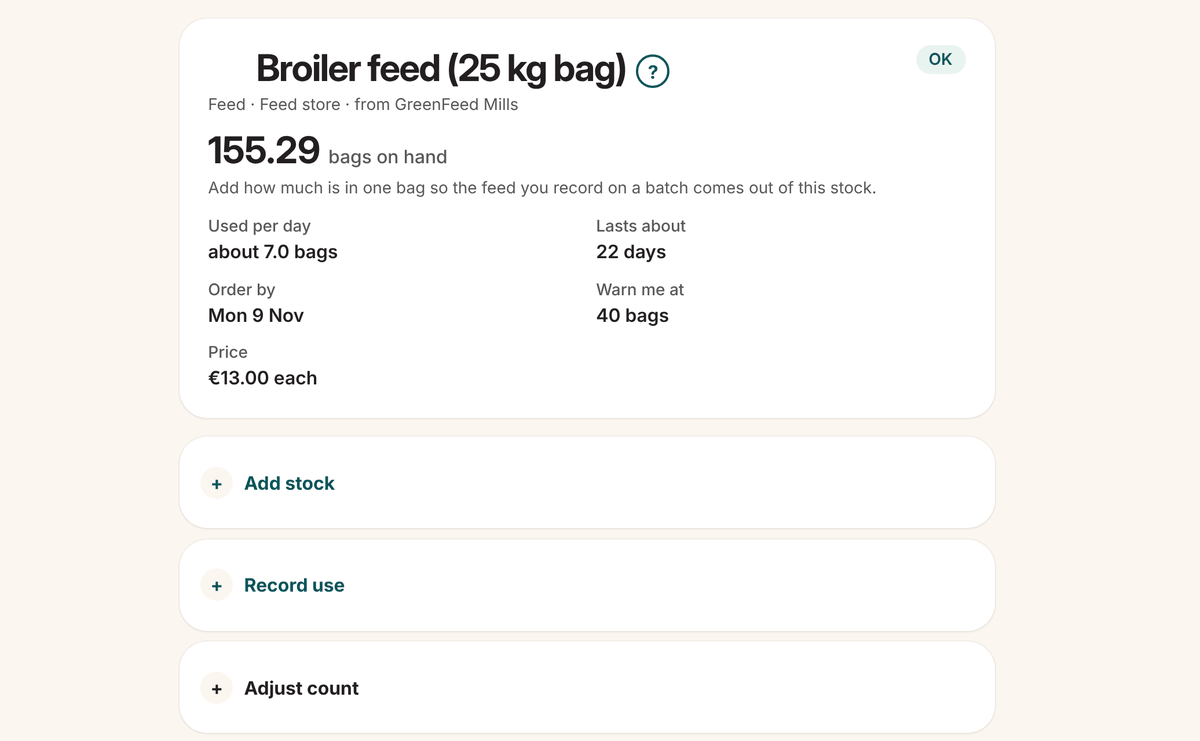
Click the item, then open one of the three boxes and click Save:
- Add stock: a delivery arrived. Type how much and the price. The price is what makes it count in your budget.
- Record use: you took some out by hand. You can pick the batch it was for.
- Adjust count: you counted what's really there. This puts the amount on hand right. Once a month is a good habit.
The History lists every change, newest first.
Warnings
The list shows each item's status, how long it lasts and the day to order by. Items running low, run out or close to their expiry date also go on your To do list. Stock is never blocked at zero: you get a warning instead.
Print a stock count gives you a sheet to walk the store with, and a box for what you count.